Photograph the connections, label the cables, wrap each device in anti-static material rather than regular bubble wrap, and put each screen in its own box, standing upright. Electronics survive a move-day prep more than padding, and the hour spent before anything is unplugged is the hour that saves you a weekend of reconnecting equipment in a house where nothing is where it used to be.
Our crews pack electronics on moves throughout Pittsburgh, PA, and our packing service for fragile items includes crates built on site for anything too valuable to trust to a carton.
There is a reason this category gets special handling. A damaged sofa is obvious the moment it comes off the truck. A damaged hard drive is not, and nobody finds out until the thing is plugged in three days later.
Photograph the Back of Everything Before You Unplug It
Take a picture of the back of the television, the desktop tower, the router, and the receiver while everything is still connected. Photograph the ports, not the room. That single habit removes most of the guesswork at the far end, because a rear panel with eight identical black sockets looks very different once the cables are out of it.
Back up anything you cannot replace before the equipment moves, and do it on a drive that travels in your car rather than on the truck. Hard drives fail for reasons that have nothing to do with how carefully a box was carried, and a move is simply the moment people notice.
Remove discs from consoles and players, take ink cartridges out of printers so they do not leak across the inside of the casing, and pull batteries out of remotes and anything else that will sit in a box for more than a few days.
If a device came with a transport lock or a shipping screw, which some printers and turntables did, now is when it goes back in. Not everything in a home office is allowed to travel, either, and our rundown of what stays off our truck covers the few that catch people out.
Original Boxes Beat Anything You Could Buy
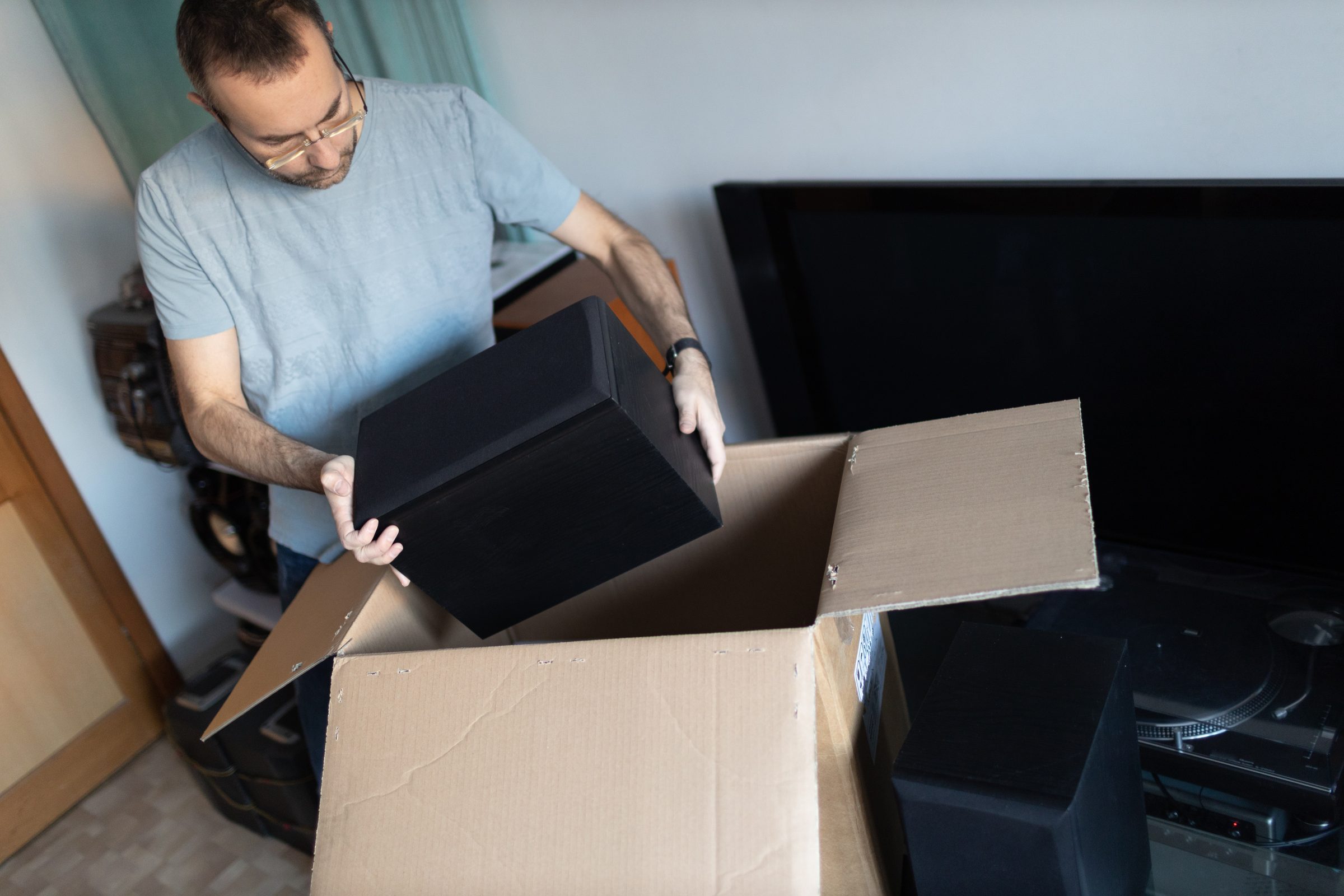
Manufacturer packaging was designed around the exact shape of the thing inside it, with foam cut to hold the weight at the right points. If you kept the box for the television or the monitor, use it. Most people did not, and that is normal, so the next best option is a sturdy double-walled carton only slightly larger than the device, with the gap filled rather than left loose.
Anti-static material is the detail that gets skipped. Standard packing peanuts and some bubble wrap carry a static charge, and static is a genuine risk to circuit boards and drives in a way it is not to anything else you own. Anti-static bubble wrap, anti-static bags for smaller components, and plain packing paper are the safer choices for computer hardware.
One device per box is the rule we work to. Two laptops stacked in a carton will shift against each other on a hill, and Pittsburgh has no shortage of those. For anything genuinely valuable, from studio equipment to a gaming rig that cost more than the sofa, a crate built around the piece is worth more than another layer of wrap.
Cables Are Where the Time Goes
Reconnecting a house full of electronics is the job that quietly eats an entire evening, and almost all of that time is spent working out which cable belongs to which device. The fix takes ten minutes on the packing end:
- Label both ends of every cable with masking tape and a marker before it leaves the wall
- Bag the cables for each device together, then tape that bag to the device it serves
- Photograph the cable run behind any setup with more than three connections
- Coil loosely in figure eights rather than tight loops, which stresses the internal wiring
- Keep power bricks with their own device, since most are not interchangeable even when they look it
Boxes that are labeled so unpacking goes faster matter more here than in any other room. Write the device name on the box rather than the word electronics, and mark which side stays up.
Not keen on wrapping a 65-inch screen yourself? Add packing to your quote, and our crew brings the materials, the crates, and the labeling with them.
Screens Get Their Own Box and Stay Upright
Treat a television like a framed sheet of glass, because functionally that is what it is. Screens travel on their edge, standing upright, never flat with weight on top. A flat-laid panel takes pressure across its whole face from whatever ends up stacked above it, and the damage shows as a cracked panel or a dead patch that no repair makes economic sense to fix.
A proper TV carton or the original box with its foam corners is what we would use. Failing that, the screen gets wrapped in a moving blanket, corner protection, and then secured upright against the wall of the truck rather than buried in the middle of a load.
Mount hardware and the stand feet go in a labeled bag taped to the back of the unit, since a television that arrives perfectly intact is still useless on the first night if the bracket bolts are in a box in another room. The same thinking covers monitors, all-in-one computers, and anything else with a glass face.
Heat, Cold and Why Storage Changes the Calculation
Electronics are more sensitive to temperature than to the drive itself, which catches people out on moves that do not go door to door on the same day. A sealed truck or an unheated unit in a Pittsburgh January can get cold enough that condensation forms inside a device when it returns to a warm room, and condensation on a circuit board is a short waiting to happen. Summer brings the opposite problem, with a closed trailer running far hotter than the air outside it.
When dates do not line up, and equipment has to sit somewhere, climate-controlled storage between homes is the solution that protects it, with camera monitoring and an itemized inventory of what went in.
If your equipment does go into a cold space for any length of time, let every device come up to room temperature for several hours before powering it on. Condensation does its damage silently, so give it the afternoon rather than the ten minutes it takes to find the power cable.
Our crews move electronics across Lawrenceville, Shadyside, Oakland, Mt. Lebanon and the Strip District most weeks, and we can crate the pieces you would rather not trust to a carton. Get a free quote online in under two minutes and tell us what is in the office.